
Everyone is building “REST APIs” nowadays. You have got endpoints, you return JSON, you use GET and POST and DELETE, you send back 404 when something is missing. Congratulations, you have a REST API. Right?
Well, according to the person who literally coined the term REST, probably not. And the piece you are missing is a scary-looking acronym called HATEOAS — the one part of REST that almost nobody implements and most people can’t even spell. I have been writing APIs for more than 8 years and honestly, for the longest time I treated HATEOAS as academic trivia. So let me untangle it: what it is, why the industry collectively ignores it, and the more interesting question — when you actually earn the right to call your thing a REST API.
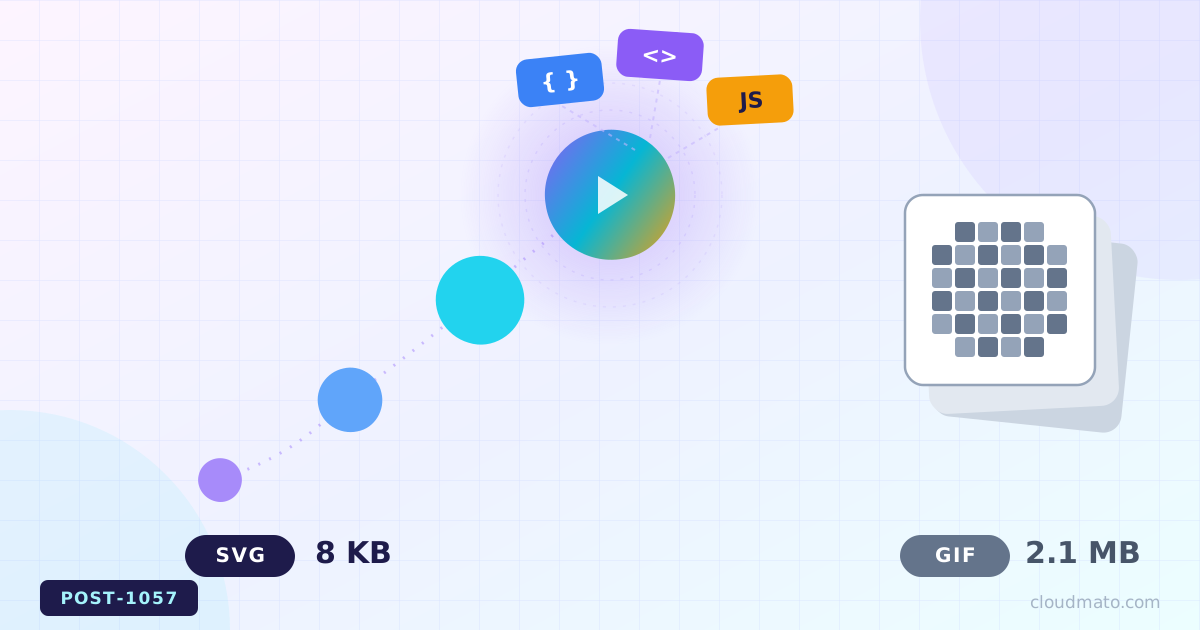
Remember when GIFs were basically the only way to show something moving on a webpage without dragging in a full video player? Spinning loaders, little waving mascots, “loading…” icons — all GIFs, all looking slightly blurry and oddly heavy for something so small. Turns out there’s been a much better option sitting right under our noses for years: the animated SVG. Let’s get into how you actually build one, and whether it really deserves to replace GIF.
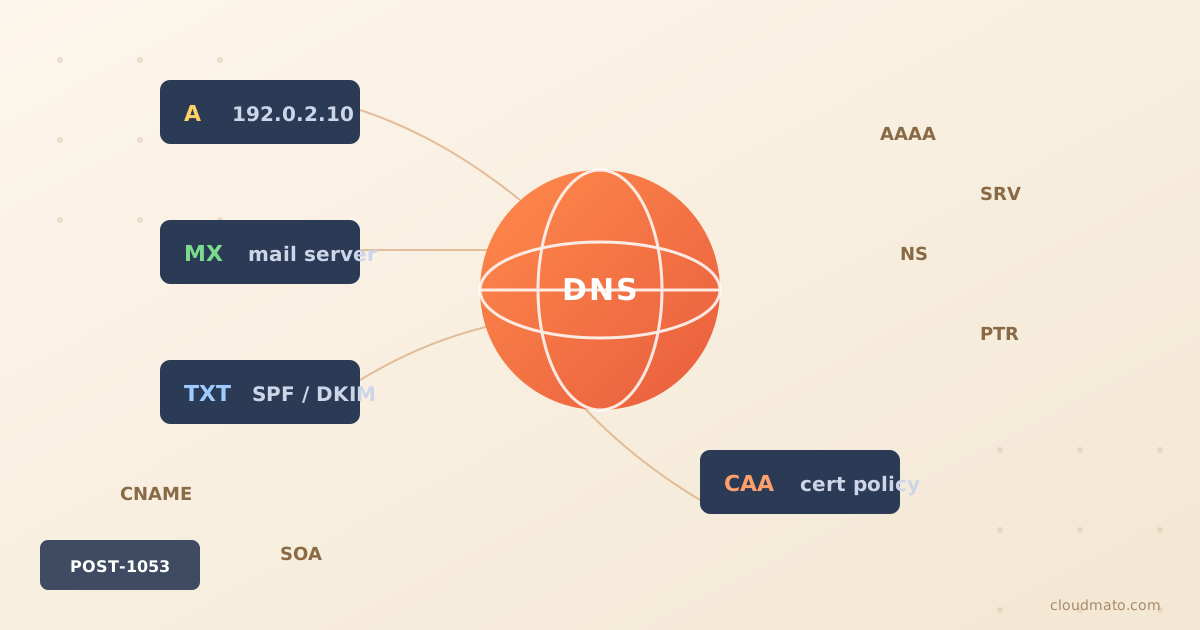
Open up any domain’s DNS settings and you’ll see a wall of cryptic codes — A, AAAA, MX, TXT, SRV, CAA, SVCB — and it genuinely looks like someone kept bolting random parts onto an old engine. Which, honestly, is exactly what happened. Every single one of these record types exists because the internet hit a wall that the existing records couldn’t get past, and once you see that history laid out, the whole mess actually starts to make sense.
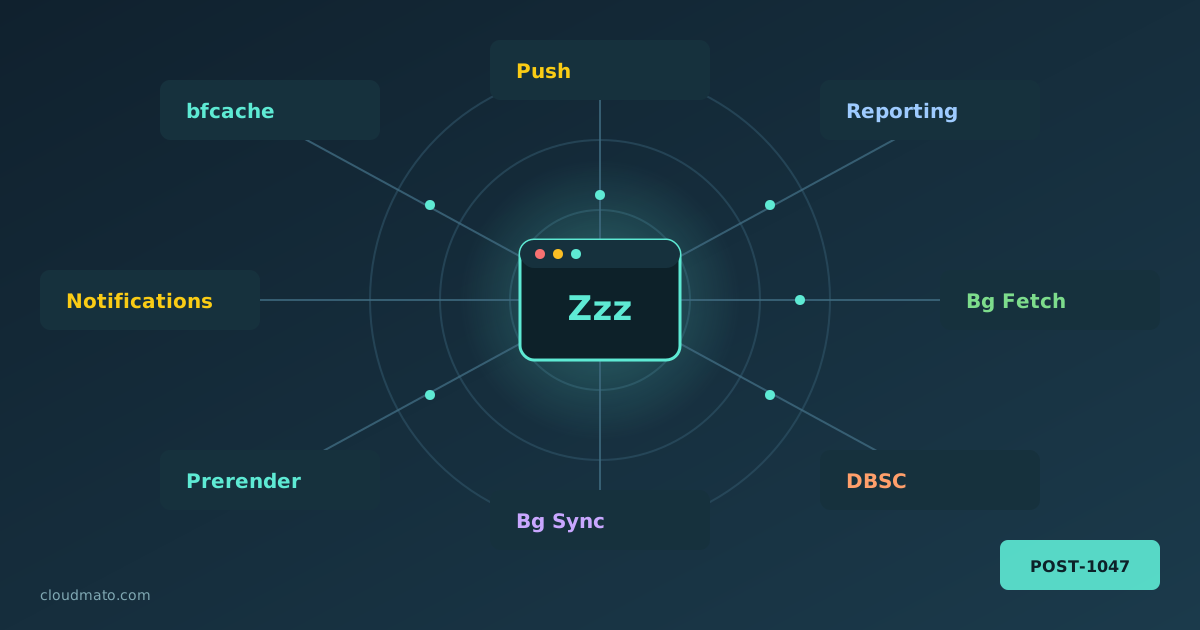
Your web app is probably doing things you’ve never actually debugged. Pages being prerendered before the user clicks anything, form submissions silently queued while offline, push notifications arriving at a sleeping service worker, sessions cryptographically bound to hardware keys — all of this happens through Chrome’s background service APIs, running completely invisibly. The Background Services panel in Chrome DevTools is where you finally get to watch all of it.
Finding the Panel Open DevTools (F12 or right-click > Inspect), go to the Application tab, and scroll the left sidebar until you hit the “Background Services” section. You’ll find a list covering essentially every “invisible” API Chrome supports:

Open DevTools, click on Application, and look at the left sidebar. Cookies, Local Storage, Session Storage, IndexedDB, Cache Storage, Shared Storage, Background Services… it’s a lot. I’ve seen senior developers reach for localStorage for everything — auth tokens, shopping carts, even megabytes of API responses — simply because it’s the one they know. That’s not always wrong, but it’s rarely the best choice. Let’s actually go through what each of these mechanisms does, where you’d find it in DevTools, and — more importantly — when you should reach for it instead of the other six options sitting right next to it.

I get why this question keeps coming up. A WebSocket stays open, remembers who you are, and lets the server push data to you without you asking for it again and again. So why are we still firing off a hundred separate HTTP requests for a single page load when we could just open one persistent pipe and be done with it? Honestly, the question sounds smarter than most people give it credit for — and the answer is not “because HTTP is better.” It’s a lot more nuanced than that.

I kept hearing “use WebSockets for real-time stuff” without anyone explaining what actually happens on the wire. So I went and read the RFC, poked at a few servers, and figured I’d write down what I found — including the part that confused me the most: whether WebSocket is a protocol of its own or just some clever trick on top of HTTP.
So what is a WebSocket? A WebSocket is a persistent, full-duplex communication channel between a browser (or any client) and a server, opened over a single TCP connection [1]. Full-duplex means both sides can send messages whenever they want — not just in response to a request. That’s the part that breaks the usual mental model of the web.
Everyone slaps “RESTful” on their API. Open any docs page, scroll the marketing copy, and there it is — “our clean, RESTful API.” But here’s the uncomfortable bit: by the strict definition, almost none of them actually are. So the question you’re really asking is whether the word still means anything if you break some of the rules. Honestly, that’s where it gets tricky.
Short answer first, because I hate articles that bury it: yes, you can still call it RESTful in everyday conversation, but no, it isn’t a REST API by Roy Fielding’s original definition unless it’s hypertext-driven. Both of those things are true at the same time, and the gap between them is the whole story.
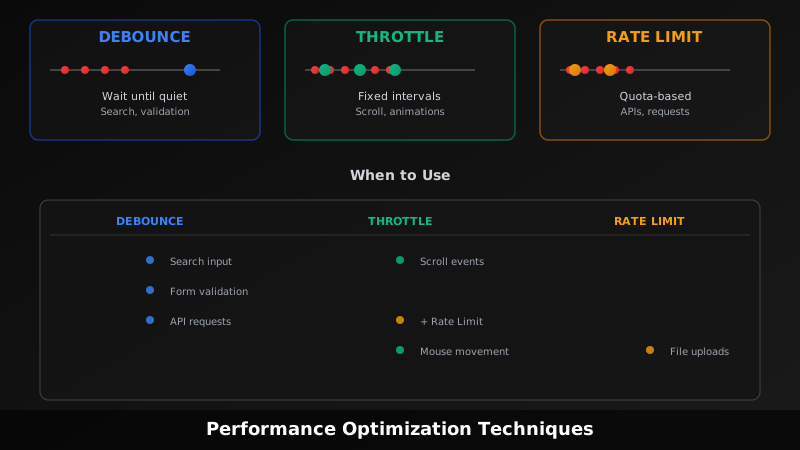
Everyone conflates these three concepts. You see them mentioned together constantly, people use the words interchangeably, and most articles mix them up or bury the differences in jargon. Here’s what they actually are, why they’re different, and when to use them. [1]
Debouncing: Wait Until The Storm Passes Debouncing delays execution until after a period of inactivity.
Imagine someone typing into a search box. Every keystroke is an event. Without debouncing, you’d fire an API request with every single keystroke — character 1, character 2, character 3, and so on. That’s wasteful.
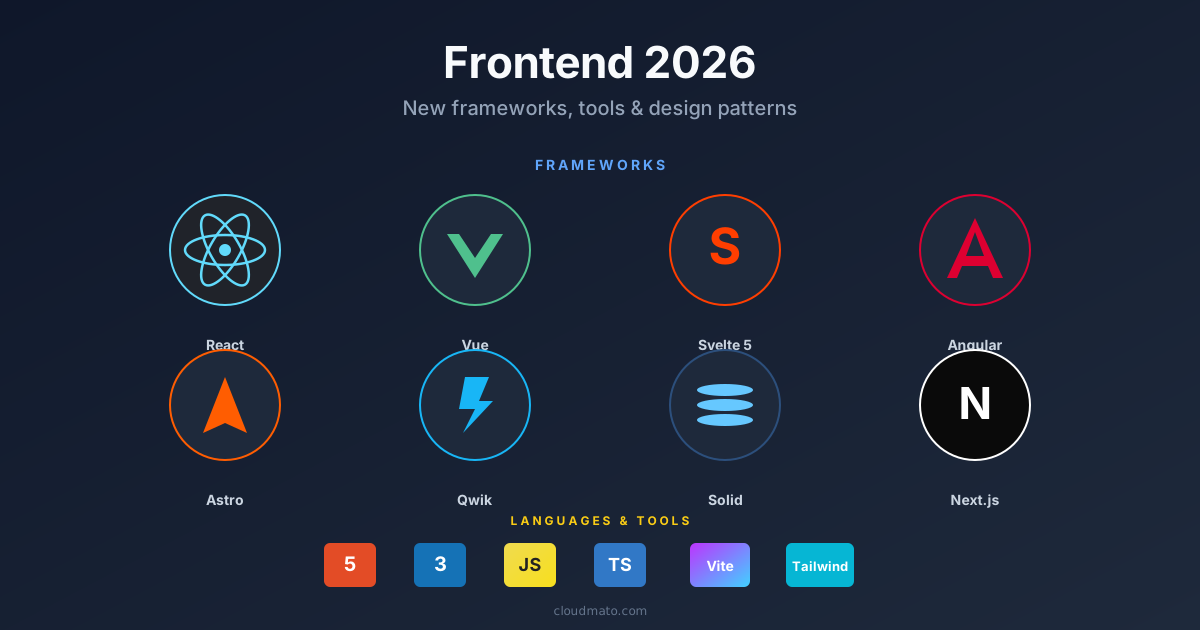
The frontend ecosystem shifts every year, but 2025-2026 felt structurally different. It wasn’t just new libraries — the underlying mental models changed. How we hydrate, bundle, structure components, and handle reactivity has moved in ways that actually affect how apps perform and how long they take to build. Here’s what’s worth paying attention to.
The Framework Landscape Is Fragmenting (In a Good Way) React still dominates with roughly 45% adoption [1], but calling it the default answer is getting harder to justify for every project type. Three challengers are serious now.

Nobody ever forgets their first fight with CSS centering. You Google it, paste a Stack Overflow snippet, and move on — never stopping to ask if that was the right way or just a way. In 2026, there are at least seven distinct ways to center a div, and some of them should have been buried years ago.
Here’s all of them, ranked worst to best.
The Full Comparison Method Horizontal Vertical Verdict display: table-cell Yes Yes Never Negative margins Yes Yes Never abs + translate(-50%, -50%) Yes Yes Avoid inset: 0 + margin: auto Yes Yes Sometimes margin: auto Yes No Horizontal only Flexbox Yes Yes Good default CSS Grid Yes Yes Best default CSS Anchor Positioning Relative Relative Specific use 1. display: table-cell — Please Stop This is what people did before Flexbox existed. You wrap your element in a fake table, trick the browser into treating it like a <td>, and abuse vertical-align: middle.
Every few years the “right” way to do layout in CSS changes completely. If you started writing CSS before 2015, you probably have a small trauma response every time someone mentions clearfix. Let me walk through how we got here — and what you should actually reach for in 2026.
The Table Era (1990s – mid 2000s) HTML tables were never designed for layout. They existed to display tabular data. Then web designers discovered that <table>, <tr>, and <td> gave you something CSS couldn’t yet deliver: predictable column control [1].

Most blogs I have seen over the years run on WordPress — a database, PHP, plugins, security patches every other week. A lot of moving parts for a site that basically publishes text. Hugo is the opposite of all that. No database. No runtime. Just plain HTML files served off a CDN, generated in under a second.
What is Hugo exactly — and why is it so fast? Hugo is an open-source static site generator written in Go [1]. You write content in Markdown, pick a theme, run one command, and it produces a folder of plain HTML, CSS, and JS. That folder is your entire website. Nothing runs on the server. No PHP, no Python, no Node process to keep alive.

TypeScript became the most-used language on GitHub in August 2025 — overtaking Python and JavaScript for the first time in over a decade [4]. 78% of professional developers now write TypeScript [5]. And yet, open almost any legacy codebase, startup MVP, or quick utility script and you’ll still find plain .js files staring back at you. That’s not laziness. There are real, structural reasons for it.
What Is TypeScript, Actually? TypeScript is JavaScript with types bolted on. Microsoft built it to address a real problem — large JavaScript codebases become unmaintainable fast. When a codebase has tens of thousands of lines and dozens of contributors, you can’t know what a function expects just by reading a call site [1].
JavaScript once had no built-in way to split code across files — a limitation that spawned an entire ecosystem of competing module formats. Today, developers encounter require(), import, .mjs, .cjs, AMD, and UMD, often all in the same project. This guide demystifies every module system, explains when to use each, and maps out the clear path forward.
Why JavaScript Needed Module Systems In the early days of the web, JavaScript was a scripting language meant for simple page interactions. As applications grew, developers stuffed everything into global variables — leading to naming collisions and unmaintainable “spaghetti” code [1]. The community responded by inventing module patterns outside the language itself: first Immediately Invoked Function Expressions (IIFEs) to create private scopes, then formal module specifications like AMD and CommonJS. Only in 2015 did JavaScript finally gain a native module system via the ES6 specification [6].

You’re a developer testing a local server, or trying to reach an internal corporate tool, and Chrome slams the door with a red “Your connection is not private” screen. There’s a hidden escape hatch baked right into the browser: type thisisunsafe. This article explains exactly what this trick does, where it came from, when it’s acceptable to use it — and when it could get you seriously burned.
What Is “thisisunsafe”? thisisunsafe is a secret keyboard passphrase built into Chromium-based browsers — including Google Chrome and Microsoft Edge — that lets you override SSL/TLS certificate error pages [1]. When Chrome blocks a site due to an invalid, expired, or self-signed certificate and displays errors like NET::ERR_CERT_INVALID or NET::ERR_CERT_AUTHORITY_INVALID, typing thisisunsafe (with the browser window focused, no text field required) instantly dismisses the warning and loads the page [2].

React remains the dominant UI library in the frontend ecosystem, and interviewers at startups and FAANG companies alike use React-specific questions to measure depth of knowledge [1]. This guide walks you through the most commonly asked questions in order of difficulty—from entry-level fundamentals all the way to expert-tier architecture and React 19 internals—so you can walk into any frontend interview fully prepared.
Beginner: Core Concepts Every Candidate Must Know 1. What is React, and what problem does it solve? React is a JavaScript library for building composable user interfaces maintained by Meta. It solves the problem of keeping the UI in sync with application state by tracking changes and updating only the affected parts of the DOM [2].